Book preorder (Spring 2026) · Free beta app

Can You Still Play Sports With Severe Osteoarthritis?

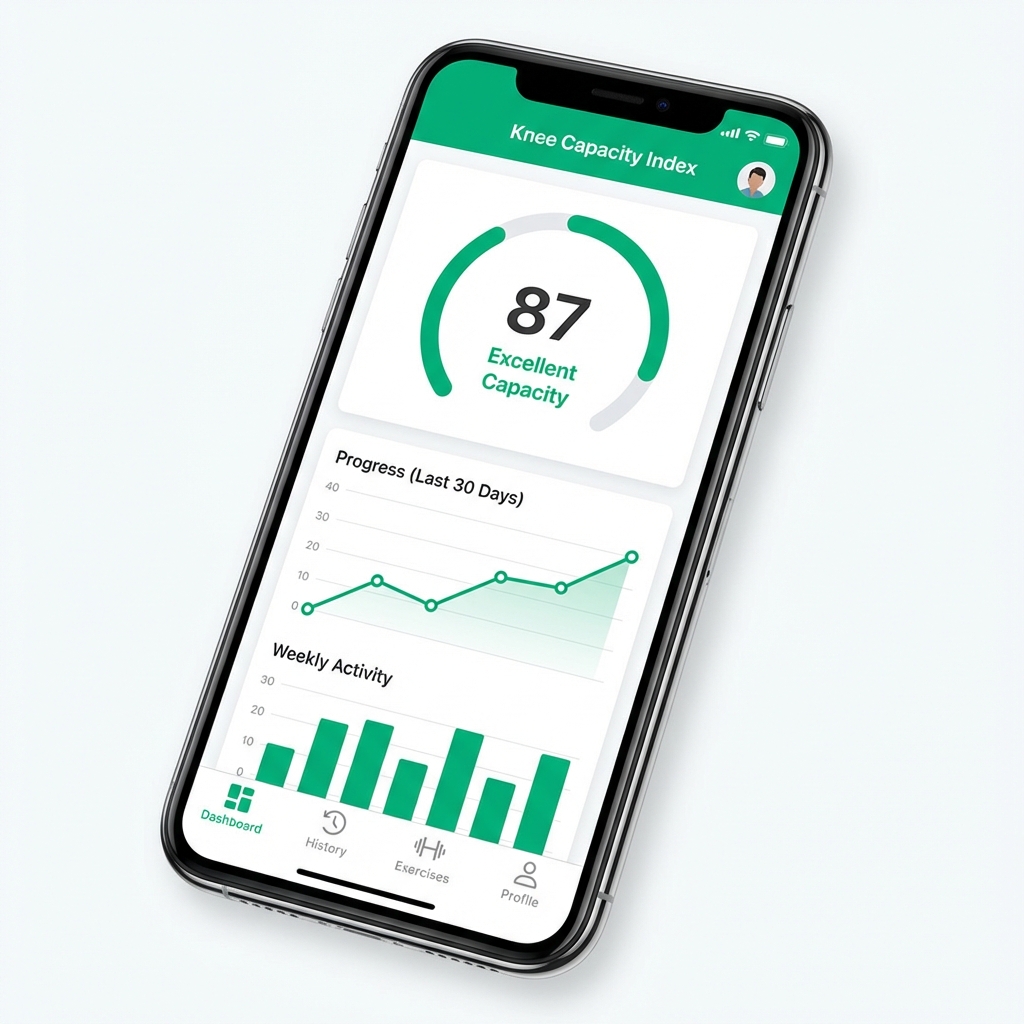
60-second check-in, calibrated to your baseline—not generic thresholds. Know when to push, when to pivot, and what actually builds capacity.

Built by a lifelong athlete who wants to keep hiking steep terrain and chasing after my young kids as they get older. Designed for real knees, real life.

Free PDF. 60-second daily check-in. No spam.

This is for you if:

  • Personalized scoring: baseline • redline • target
  • Meaningful deltas: "+0.5 swelling vs YOUR baseline"
  • Recovery patterns: "Back to baseline in ~2.4 days"

Works even if your pain never hits zero. Calibration adapts to chronic baselines.

Knee Decisions book cover - Framework for knee osteoarthritis management
Knee Capacity app preview

Beta app coming

What you'll get (free)

Get the Free Quick Start PDF

You've Tried Everything. Your Knee Still Swells.

Ice after every game. Stretching daily. Physio exercises when you remember... Your quad never got stronger. The problem isn't your knee. It's your decision system.

Swelling is a signal

It's data, not a moral failing. Learn what your knee is telling you before it screams.

Strength is the lever

Progressive loading is the only way out. We help you find the "Goldilocks" zone.

Decisions beat motivation

Stop the boom-bust cycle with a system that tells you when to push vs. pivot.

How Personal Calibration Works + Daily Check-Ins (60 seconds)

1

Check In

Pain • Swelling • Stiffness • Notes
Get your Knee Capacity Index (0-100) in 60 seconds.

2

Train

Pick a session matched to your knee's current signal: CALM, BUILD, or PRIME lanes.

3

Learn Patterns

Spot what flares you—and what builds capacity. Export data for specialist visits.

Why I Built This

I played high-level volleyball. My knee swelled for a decade. Every physio said "strengthen your quad." I tried. It never got stronger. The turning point: tracking + progressive loading + better decisions.

This framework is what finally worked—after 10 years of what didn't. As a professional forester and engineer, I applied systems thinking to my own recovery when the standard advice failed.

David Beleznay

Lifelong Athlete • 10+ years managing severe knee OA • Hiking steep terrain & chasing kids

Read the origin story

Follow the Knee Capacity Journey

Get weekly insights on building knee capacity, pain science, and real-world testing of the framework. Free protocols, decision guides, and honest updates from someone living this daily. Week 10.

Frequently Asked Questions

What do I get in the free Quick Start PDF?

The PDF walks you through setting your Baseline, Redline, and Target in about 90 seconds, how to track pain/swelling/stiffness in 60-second daily check-ins, and how to know when to push, pivot, or recover. Get the Free Quick Start PDF via the form—delivered to your inbox. Not medical advice—education + a tracking framework.

How does Personal Calibration work?

During your first check-in, you'll answer three quick questions:

  • Your Baseline: Your typical swelling/pain on a light week
  • Your Redline: Your worst realistic week (tournament, heavy training)
  • Your Target: Where you want to be under baseline conditions

The app stores YOUR envelope. Every future check-in is scored against YOUR range—not generic thresholds. Takes 90 seconds, happens once (or whenever you want to recalibrate).

What if my baseline is chronic pain at 5/10?

That's exactly why we built this. If 5/10 is YOUR stable baseline, the app treats that as YOUR "green zone." You'll get flagged when you're ABOVE your 5/10 baseline—not compared to someone whose baseline is 0/10. The framework meets you where you are.

Is this comparing me to other people?

Nope—it compares you to your own baseline, so the guidance matches your reality.

Is this medical advice?

No—this is education + a tracking system. Always consult your clinician before starting a new exercise program.

What if I have severe OA?

The system was built for severe lateral compartment OA (my reality). It's designed to help you function despite structural issues.

How long does daily check-in take?

60 seconds. The system works because it's sustainable for busy adults.

Can I share data with my specialist?

Yes—the app includes a PDF export designed specifically for medical appointments.